- Home Page /
- Software /
- Business & Office /
- Business & Marketing Plans /
- Marketing Plans /
- Logo Creator - Windows Professional Logos for...
0 ratings







Item #:
105204915
Logo Creator - Windows Professional Logos for Business, Website, Print with Hundreds of Templates and Library of Free Photos & Videos Windows/PC
Item #:
105204915
SLL 1270681
Price Details
Excluding Shipping & Custom charges ( Shipping and custom charges will be calculated on checkout )
*All items will import from US
0 ratings
Write a review
In stock
 Imported from USA store
QTY:
Only 12 items left in stock.
Order now and get it around Friday, June 26
Secured transaction
Ubuy works hard to protect your security and privacy. Our advanced payment security system ensures confidentiality by encrypting your information during transmission using AES (Advanced Encryption Standards) and SSL (Secure Socket Layer) protocols. Your payment details are 100% secure as we do not share your payment details with third party sellers.
Our Top Logistics Partners


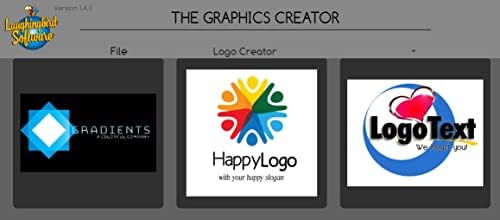
Create a professional logo for your business cards, letterhead, brochures, website, and more.

Fast
Shipping

Free
Return*

Secure Packaging

100% Original Products

PCI DSS Compliance

ISO 27001 Certified


Note: Step Down Voltage Transformer required for using electronics products of US store (110-120). Recommended power converters Buy Now.


What Stands Out
Extensive Template Library
Access hundreds of customizable templates tailored for various industries, enabling users to easily create professional logos that stand out for their business or online presence.
Integrated Media Resources
Utilize a library of free photos and videos, enhancing logo design with rich visual elements, saving time and additional costs on sourcing multimedia assets for branding.
User-Friendly Interface
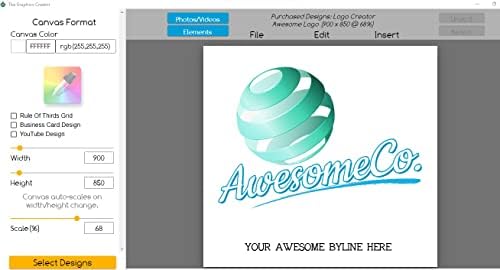
Designed for ease of use, this software allows both beginners and professionals to design logos effortlessly, streamlining the creative process and reducing the learning curve for users.
Product Details
- Works on Windows 11, 10, & 8
- Logo Templates for Corporate, Business, and organizations
- Extensive Designer Tools
- Specialty fonts, text effects, gradients, color & layer control
- Create An Impressive Logo in 3 Easy Steps
- Step-By-Step Video Tutorial
- Create Custom Logos & Business Cards
- Hundreds of special effects and graphics elements, from special text, symbols, colors, gradients, and more to apply to your logo
- Easy to use Interface
- Import & Export Options
| Product Dimensions | 0.56 x 5.31 x 7.5 inches (1.4 x 13.5 x 19.1 cm); 2.89 ounces (81.93 grams) |
| Manufacturer recommended age | 0 - 1 years |
| Date First Available | February 10, 2022 |
| Manufacturer | Individual Software |
Who Should Buy?

-
Small Business Owners
Easily create professional logos and branding materials without needing graphic design experience or hiring a designer.
-
Freelancers
Ideal for freelancers who need to quickly build and customize logos for various clients with diverse design needs.
-
Students
Students learning graphic design can benefit from the templates and tools to practice logo creation effectively.

-
Professional Designers
Skilled designers may find the limited customization options restrictive for high-end, unique projects they typically undertake.
-
Corporate Branding Teams
Corporate teams may require more advanced functionalities and flexibility than this software can offer for branding consistency.
-
Mobile Users
Not suitable for those needing on-the-go design solutions, as this version is specifically for Windows/PC use.
Product Description
Have any Query? Chat with us
Customer Questions & Answers
-
Question:
What features does the Logo Creator for Windows offer?
Answer: The Logo Creator software for Windows includes a vast collection of templates, tools for custom design, and access to a library of free photos and videos. This allows users to create professional-quality logos for various uses, such as business branding, website enhancement, and print materials. With hundreds of design options at your fingertips, you can easily experiment with various styles, colors, and layouts to find the perfect fit for your brand. -
Question:
Can I use the Logo Creator for non-commercial projects?
Answer: Yes, the Logo Creator is versatile and can be utilized for both commercial and personal projects. Whether you are designing a logo for a startup, a personal blog, or a community event, the software's extensive library and customizable features make it suitable for a variety of applications. This flexibility ensures that individuals and businesses alike can find creative solutions that meet their specific needs. -
Question:
Is the Logo Creator suitable for beginners?
Answer: Absolutely! The Logo Creator is designed with user-friendliness in mind, making it accessible even for those with no prior design experience. Its intuitive interface allows users to navigate through features effortlessly, providing step-by-step guidance on creating logos. Beginners can choose templates as a starting point and customize them to their liking, giving them the confidence to explore their creative potential. -
Question:
What types of templates does the Logo Creator provide?
Answer: The Logo Creator offers a diverse array of templates suitable for various industries, including technology, healthcare, food and beverage, and more. Each template is designed to be fully customizable, allowing you to adjust colors, fonts, and graphics to align with your brand identity. This rich selection helps streamline the design process, enabling you to create a compelling and professional logo that resonates with your target audience. -
Question:
Are there tutorials available for using Logo Creator?
Answer: Yes, the Logo Creator typically comes with a variety of tutorials and resources to help users make the most of its features. These tutorials guide you through the design process, offering tips on how to utilize templates, adjust designs, and incorporate elements from the library. By following these resources, users can enhance their skills and confidence in logo design, ensuring they create successful branding for their ventures. -
Question:
How do I import my own images into the Logo Creator?
Answer: Importing your own images into the Logo Creator is a straightforward process. Typically, you can use the 'Import' or 'Upload' option within the software to choose images from your computer. This feature is particularly useful for adding personal touches, such as specific graphics or photos that reflect your brand. Once imported, you can manipulate and integrate these images within your logo design for a professional finish. -
Question:
Can I share my logos created with the Logo Creator directly to social media?
Answer: Yes, most versions of the Logo Creator provide integrated sharing options for direct uploads to social media platforms. After designing your logo, you can easily share it on various sites, enhancing your online presence. This feature is especially beneficial for small business owners and entrepreneurs looking to promote their brand instantly and effectively, making it easier to engage with followers and potential customers. -
Question:
Is there a library of free photos and videos included with the Logo Creator?
Answer: Yes, the Logo Creator comes with a robust library of free photos and videos that you can use in your logo designs and marketing materials. This extensive collection provides an array of options that can complement your logo beautifully and enhance your overall branding. By utilizing these resources, you can create visually appealing content that stands out in both online and print formats. -
Question:
What are the system requirements for running the Logo Creator on Windows?
Answer: To run the Logo Creator on Windows, you typically need a compatible operating system, like Windows 10 or later, along with sufficient RAM and storage space. Checking the specific system requirements before installation ensures optimal performance. Proper system setup allows the software to function smoothly, providing you with a seamless design experience while creating logos and other branding materials. -
Question:
Where can I buy Logo Creator - Windows?
Answer: You can purchase Logo Creator - Windows through Ubuy in Sierra Leone. Ubuy offers a reliable platform for accessing the software, ensuring a secure transaction process and providing customer support when needed. By choosing Ubuy, you can take advantage of their service to get started on creating professional logos for your business or personal projects.
Individual Software Marketing Plans Editorial Review
No editorial reviews found
Customer Reviews & Ratings
7 customers ratings
-
5 Star
14%
-
4 Star
17%
-
3 Star
14%
-
2 Star
14%
-
1 Star
41%
Review this product
Share your thoughts with other customers
Pros
- User-friendly interface
- Wide variety of templates
- Customizable design options
- Includes free photos and videos
- Suitable for different types of businesses
Cons
- Some features may feel limited.
Product Price History
Important information
- Limitations : For products shipped internationally, please note that any manufacturer warranty may not be valid; manufacturer service options may not be available; product manuals, instructions, and safety warnings may not be in destination country languages; the products (and accompanying materials) may not be designed in accordance with destination country standards, specifications, and labeling requirements; and the products may not conform to destination country voltage and other electrical standards (requiring use of an adapter or converter if appropriate). The recipient is responsible for assuring that the product can be lawfully imported to the destination country. When ordering from Ubuy or its affiliates, the recipient is the importer of record and must comply with all laws and regulations of the destination country.
- Not all the products listed on Ubuy are for sale, as Ubuy is a global search engine. Products are subject to export/trade regulations.
SLL 1270681
Order now and get it around Friday, June 26
This item is not restrict in my country.(Please click on above link if this item is not restrict in your country, So our team will review and allow.)
QTY:
Only 12 items left in stock.
Secured transaction
Ubuy works hard to protect your security and privacy. Our advanced payment security system ensures confidentiality by encrypting your information during transmission using AES (Advanced Encryption Standards) and SSL (Secure Socket Layer) protocols. Your payment details are 100% secure as we do not share your payment details with third party sellers.
Our Top Logistics Partners
Fastest cross-border delivery
Features & Benefits
- Design logos in just minutes with ease.
- Access hundreds of customizable templates and design elements.
- Utilize a vast library of free photos and videos.
- Step-by-step video tutorials guide you through the creation process.
- Export and print your logo easily for all applications.
- Compatible with Windows 11, 10, & 8.